


Common Mistakes Made During Firewall Configuration Audits And How To Avoid Them
Firewalls are an important part of the cyber security infrastructure of any organization. But even the best firewalls can become weak links if they are not properly configured and regularly reviewed. A firewall configuration audit is designed to highlight the interval, old rules and security risks, but audits miss the mark due to common and avoidable mistakes. Keep reading this guide to know about these mistakes and tips using which organization can sidestep them. Common Pitfalls in Firewall Security Audits and How to Fix Them 1. Overly Permissive Firewall Rules One of the most frequent issues during the firewall security audit is the presence of highly permissible rules. Allowing wide-ranging access—such as “any-to-any” traffic can seem convenient in the environment of traffic-especially rapidly, but it creates an open invitation to the attackers. How to avoid it: ● Adopt a “least privilege” approach: only allow what is absolutely necessary ● Periodically review rules and eliminate any that are outdated or overly broad. ● Use Firewall Configuration Analysis tools to automatically flag high-risk rules. 2. Lack of Rule Documentation Firewalls often accumulate rules over time, many of which were added to the fly to solve immediate issues. Without proper documentation, it becomes difficult to determine why a rule was made, who approved it, or whether it is still relevant. How to avoid it: ● Create a standard change management process. ● Maintain a rule justification log with timestamps, authors, and approval status. ● Include rule descriptions directly within the firewall when supported. This step makes future firewall configuration audits smoother and ensures that you’re not left guessing. 3. Inadequate Firewall Configuration Analysis Failing to analyze a detailed firewall configuration is like checking car tires, but not looking under the hood. Superficial reviews can miss rule shadowing, redundant entries, or rules that violate corporate policies. How to avoid it: ● Use automated audit tools to analyze rule behaviour, hit counts, and dependencies. ● Pay attention to shadowed rules—those that are never used because a previous rule overrides them. ● Cross-reference firewall configurations with your company’s access control and data governance policies. 4. Neglecting Firewall Logging and Monitoring You cannot secure what you can not see. Logging deficiency means that your team does not know what is passing through the firewall, making it difficult to spot malicious or unexpected traffic. How to avoid it: ● Enable logging for key rules and outbound connections. ● Integrate logs with a SIEM (Security Information and Event Management) platform for real-time alerting. ● To identify anomalies regularly review logs during your network security audit. 5. Inconsistent Rule Naming and Labelling Unclear naming conventions can make a firewall rulebase unreadable. When dominating label configurations like “Rules_1” or “Test123”, it becomes almost impossible to audit an effective firewall configuration. How to avoid this: ● Use standardized naming conventions across all firewall devices and rulebases. ● Include meaningful names (e.g., “Allow_HTTP_Traffic_Sales_App”) and group rules logically by department or function. This improves visibility during routine analysis and when working with third-party auditors or MSSPs. 6. Not Segmenting the Network Properly Flat networks where all systems can communicate independently are a gold mine for cyber criminals. Proper segmentation helps contain potential breaches and enforces internal access controls. How to avoid it: ● Use VLANs, zones, or virtual firewalls to separate sensitive data from public or guest access. ● Ensure that your partition strategy is valid during each firewall configuration audit and align with your internal network architecture. ● Test access controls between segments regularly. 7. Failing to Remove Expired Rules Temporary firewall rules are often added during migrations, patching, or troubleshooting—but are rarely removed. These “zombie rules” can open unintentional backdoors. How to avoid it: ● Set expiration dates for temporary rules. ● Conduct quarterly Firewall Configuration Analysis to identify and remove unused or expired rules. ● Apply a cleaning policy as part of your firewall regime. 8. Relying Solely on Manual Audits Manual audit is time consuming, prone to error, and often incomplete. While human oversight is necessary, modern firewall safety audits must include automation to increase accuracy and speed. How to avoid it: ● Use professional-grade audit software that performs firewall configuration analysis in real-time. ● Schedule recurring automated scans as part of your continuous compliance framework. ● Combine automation with expert review to catch both technical and contextual issues. 9. Ignoring Regulatory Compliance Requirements Firewalls not only serve as technical safety measures, but are also important components in meeting regulatory standards such as PCI DSS, Hipaa, or ISO 27001. Ignoring the compliance benchmark during a firewall configuration audit can lead to serious penalties. How to avoid it: ● Map firewall rules to regulatory control requirements. ● Ensure documentation supports audit trails for compliance audits. ● Work with professionals who understand both cybersecurity and industry-specific regulations. Conclusion To make this process even more efficient, Opinnate offers a centralized platform for firewall configuration analysis, continuous firewall security audit readiness, and actionable insights. With automated network security audit tools and compliance-focused reporting, it helps organizations stay protected, compliant, and in control.
Understanding the Role of a Firewall Rule Analyzer in Optimizing and Securing Complex Rule Sets

Today, businesses use firewalls to keep their networks safe and secure. Firewalls work by blocking bad traffic and allowing only safe traffic to pass through. But over time, managing firewall rules becomes harder. The number of rules keeps growing, and they can become confusing or even risky. A Firewall Rule Analyzer helps clean, review, and improve these firewall rule sets to keep networks running smoothly and securely. Why Firewall Rules Need Optimization Network teams often add new firewall rules whenever a problem appears. Over the years, many of these rules pile up and stop being useful. Some may be outdated, incorrect, or perform the same function as others. This clutter can slow down the firewall and make it work poorly. It might even allow unsafe traffic through or block traffic that should be allowed. When there are too many unused or overlapping rules, the firewall’s performance drops. Conflicting rules can weaken security or cause traffic issues. That’s why it is so important to review and fix these rules regularly. A Firewall Rule Analyzer can do this job quickly and accurately. It helps make the firewall smarter, easier to manage, and more secure. The Purpose of a Firewall Rule Analyzer A Firewall Rule Analyzer is a tool that checks all the rules set up in a firewall. It finds out which ones are good, outdated, incorrect, or no longer needed. It helps identify which rules are safe to keep and which ones should be changed or removed. Instead of going through each rule manually, the analyzer does the work efficiently and saves time. It also gives a full report showing how well your firewall is working. The analyzer shows you if rules are unused, overlapping, or in conflict. It helps correct errors and improves how fast traffic flows through the network. This keeps the firewall up to date, cleaner, and more effective. It also helps your team understand each rule clearly, one by one, making it easier to control how your firewall protects your systems. Benefits of Rule Analysis in Network Security Using a Firewall Rule Analyzer offers many advantages for network security. It shows which rules are useful and which are not, allowing you to remove extra rules that slow down performance. When rules are simple and clear, fixing problems becomes much easier. An optimized rule set also helps the firewall process traffic more quickly and efficiently. A cleaner rule set improves security by identifying and removing weak or risky rules. The analyzer is also very helpful for audits and security checks. It shows that your firewall is properly managed and working as it should. This helps meet compliance requirements from security and privacy laws. Plus, it helps protect your system from hackers, bugs, and costly security mistakes. How Firewall Rule Analyzers Work The Firewall Rule Analyzer connects directly to your firewall and reads the rule base. It runs checks to find errors, patterns, and repeated or useless rules. It can show if a rule is shadowed—meaning it never gets used—or if it causes conflicts. Many tools include charts or visual maps that help teams understand how traffic moves through the firewall. Some analyzers also score each rule based on how risky or helpful it is. They let you know which rules need immediate attention. These scores help your team decide what to change, fix, or remove. You can even test the results of rule changes before you make them live. That helps avoid errors that could disrupt your network later on. Supporting Compliance and Governance Security laws require companies to have clear, strong rules in place. A Firewall Rule Analyzer helps you follow these rules by providing tools for tracking, documentation, and enforcement. It helps maintain records of changes and ensures your firewall setup follows all internal policies. This makes passing audits easier and shows that your business takes network security seriously. It also supports compliance with global regulations like GDPR, HIPAA, and others. Today, most companies use a mix of cloud-based and on-premise firewalls. Managing rules across all of them can be a big challenge. A rule analyzer checks rules from both local and cloud systems and brings them into one view. This helps make sure that policies match across all platforms and that your network stays protected no matter where it operates. Why Organizations Choose Automated Rule Analysis Manually checking firewall rules takes too much time and leads to mistakes. With so many rules to handle, it’s easy to miss things. That’s why many teams use a Firewall Rule Analyzer to assist them. It reduces the manual work, saves money, and finds problems faster than people can. It also keeps your firewall running smoothly every day. Unlike manual checks, the tool constantly monitors your firewall for changes or risks. It sends alerts if something needs attention. It also makes sure only the right users have access to the system. Automated analysis keeps your network safe, fast, and easy to manage. This is much better than guessing whether the firewall is doing its job correctly. Final Thoughts Firewalls are essential to network safety, but they need regular reviews and updates. Old or broken rules can slow down the system and cause security risks. A Firewall Rule Analyzer gives your team the tools to spot and fix these problems before they get worse. This makes your network stronger and your work easier. If your firewall has too many outdated or unused rules, it’s time for a cleanup. A rule analyzer helps you do that smartly and safely. Your IT team can work more efficiently, and your system stays secure. For better firewall protection, start using the right tools today. Visit Opinnate to learn more and get started.
Firewall Management Software: Why NSPM Solutions or Vendor Solutions?

With the increasing intricacy of IT structures, it’s not surprising to see an upsurge in the need for firewall management software. Firewalls form an important part of the security apparatus of a corporate network, in that they help protect the networks by filtering incoming and outgoing traffic as per the security rules set. The challenge comes in when the need to manage such firewalls arises, particularly in very large and multi-vendor environments. At this point, Network Security Policy Management (NSPM) comes to the rescue and provides a better option than the vendor-specific software that has traditionally prevailed. In this article, I will explain the function of firewall management system and its software as well as depict the drawbacks of using the proprietary systems and characterize NSPM as the effective, future-scalable, and secure methods of firewall management. What is Firewall Management Software? The capability of firewall management software is to assist in the administration of numerous firewalls within an organization. Such software gives the administrator the capability to manage, monitor and review the firewalls in use to help in the adherence to security policies. These mainly include the following: Definition and modification of rulesTraffic and threats tracking in real-timeCompliance assessmentsManagement of several firewalls in one place Managing firewalls protection is not only crucial to keep the boundaries intact, but also to restrict access from any unwelcomed visitors. As always, the problem arises when several firewalls from different vendors are incorporated into the enterprise, as looking out after these systems becomes very cumbersome. The Limitations of Vendor-Specific Firewall Management Software Solutions Many organizations initially opt for vendor-specific firewall management software, which comes bundled with the hardware. While these tools may work well in a single-vendor environment, they fall short in several key areas when organizations expand their infrastructure. Let’s take a closer look at these limitations: 1. Lack of Vendor-Agnostic Control Vendor-specific solutions tie organizations to a particular ecosystem, making it difficult to manage different firewalls from multiple vendors. This becomes a significant issue when businesses expand and need flexibility. Each vendor-specific firewall management solution has its own interface, policy language, and processes, which leads to operational inefficiencies. 2. Increased Complexity and Management Overhead When using multiple vendor-specific management tools, administrators must juggle various configurations, settings, and policies across different firewalls. This not only increases the complexity of operations but also introduces potential security gaps. Each system requires its own updates, monitoring, and troubleshooting processes, which can overwhelm IT teams. 3. Limited Visibility and Reporting Vendor-specific software often provides limited visibility into your entire security posture. This makes it challenging to detect vulnerabilities, optimize firewall rules, and maintain consistent policies across the network. Reports generated by these tools are often siloed and may not provide insights into cross-vendor interactions or overarching security risks. 4. Inconsistent Policy Enforcement When organizations rely on different vendors, enforcing security policies consistently across various devices becomes a challenge. This inconsistency can lead to security gaps and non-compliance, increasing the risk of data breaches or failed audits. 5. Lack of Automation and Integration Automation is critical in managing complex network environments. However, vendor-specific solutions typically offer limited automation capabilities, and their integration with third-party tools may not be seamless. This results in a heavier reliance on manual processes, which increases the likelihood of human error. Why NSPM is the Superior Solution Unquestionably the Best Option on the market Network Security Policy Management (NSPM) is an all-encompassing and vendor-neutral approach to securing and managing multiple firewall policies in an enterprise level heterogeneous network. The purpose of NSPM software is to streamline and simplify the management of firewalls so that IT personnel can uphold security policies with relative ease, cut down on operational workload, and place a high degree of reliance on automatic processes. There are several reasons as to why NSPM systems outperform software designed solely for the management of firewalls of a specific vendor: 1. Management of Multiple Vendors Under One Roof One of the most redeeming features of the NSPM software is the ability to manage multiple firewalls situated in different geographical locations as well as from different vendors, at the same time, without any challenges. It does not matter whether the agency is using Checkpoint, Fortinet, Cisco, or even Palo Alto firewall, the NSPM system will manage the agency’s process all at once thus eliminating the hassle that comes with managing different systems. This saves time and also minimizes the chances of making mistakes in enforcing security measures within a network. 2. Avoids Compromise in Enforcing Policies NSPM guarantees that related firewall devices are all managed in a constant and mature way under the same security policies irrespective of the manufacturer. This addresses the possibility of managing the unification of security policies with firewalls of different manufacturers as they tend to be a mix up. With NSPM, organizations can create global policies and push those policies and rules across any and all firewall devices in the network which provides consistent security. 3. Improved Visibility and Reporting NSPM provides a complete picture of the overall network security posture. The solution also offers the ability to analyze the traffic, firewall activity, and weaknesses in the infrastructure on devices other than the particular vendor. This level of visibility allows for better threat response, threat detection and compliance reporting. 4. Automation and Policy Optimization NSPM solutions come with robust automation features that streamline repetitive tasks, such as firewall rule audits, policy updates, and compliance checks. This automation not only reduces the workload for IT teams but also ensures that firewall rules are optimized for performance and security. For example, outdated or redundant firewall rules can be automatically identified and removed, reducing the risk of misconfigurations. 5. Scalability As organizations grow, so do their networks. NSPM is designed to scale alongside your infrastructure, making it easier to add and manage new firewalls without needing additional vendor-specific management tools. Whether you’re adding more firewalls to an on-premise data center or expanding into the cloud, NSPM provides the scalability and flexibility needed
The Power of Automated Security Analysis

Cyber risks are getting worse every day in today’s fast-paced digital environment. Hackers are getting smarter, and the old ways of managing firewalls aren’t adequate to keep organisations safe anymore. Companies need faster, more accurate and more reliable ways to protect their networks so that they can keep their businesses running and keep their sensitive data safe. This is when automated security analysis comes into play. It is changing the way businesses keep their digital spaces safe and their firewalls up to date. Understanding the Problem: Why Managing Firewalls by Hand Does Not Work Short? Firewalls are the first line of security against assaults and access that aren’t allowed. However, it has become hard and time-consuming to manage them by hand. As networks get bigger, IT teams have to deal with hundreds of firewall rules and policies that change all the time. People make mistakes when they manage things by hand, security regulations are not always the same, and new risks take a long time to respond to. A simple mistake in setting up a system can make it more vulnerable to cyber threats. As the network grows, the possibilities of missing anything important grow, which makes manual operations less trustworthy and more dangerous. How Does Automation Change Firewall Management? Automated security analysis employs smart technology to check, improve, and keep an eye on firewall settings without the need for ongoing manual work. It helps find hazards, get rid of unnecessary rules, and make sure that all rules are followed. IT teams may focus on strategy and proactive threat management instead of routine maintenance by automating tasks that are done over and over again, like rule audits, risk assessments, and compliance checks. Automation keeps firewalls up to current, consistent, and in line with the best security practices. What Are the Advantages of Automated Security Analysis? Here are some benefits of adopting automated security analysis: 1. More efficiencyAutomation takes away the need to manually check policies and configurations. IT personnel can save a lot of time and energy by focussing on more important tasks like making the network run better or dealing with possible risks. As a result, security management is faster, smarter, and more reliable. 2. Better accuracyAutomated programs employ smart algorithms to look through firewall settings and find weaknesses or holes in policies. This level of accuracy cuts down on mistakes made by people and makes sure that no possible threat is missed. 3. See things in real timeBusinesses can see their security status clearly and in real time using automated systems. When new hazards come up, teams can find them immediately and do something about them before they become big concerns. This proactive strategy helps businesses keep one step ahead of hackers. 4. More strict complianceAll firms are quite worried about following the rules. Automated security analysis looks at firewall settings all the time to make sure they follow standards like ISO 27001, PCI DSS, and NIST. It also makes thorough compliance reports to help with audits and internal reviews. 5. Saving moneyAutomation tools cost money at first, but can save you a lot of money in the long run. Lower expenses and better financial protection come from fewer breaches, less downtime, and better use of resources. How to Successfully Set Up Automated Security Analysis? To get the most out of automation, businesses need to make a clear and strategic plan. 1. Look at how you do things right now.Start by looking at the firewall management system you already have. Find tasks that are repetitive, take a lot of time, or are likely to go wrong. These are the greatest places to set up automation. 2. Choose the Right ToolPick an automation system that you can trust and that fits the size and security needs of your network. Look for things like scalability, easy integration, and trustworthy support from the manufacturer. 3. Work with current security systemsMake that the tool works well with your firewalls, intrusion detection systems, and SIEM platforms. Integration helps make all security policies seem the same and makes monitoring better. 4. Teach Your TeamTeach your IT and security teams how to use automation well. Automation is a valuable aspect of your security approach when people know how to read analytic results and use them to make decisions. 5. Keep an eye on things and make them better all the time.Setting up automation is not a one-time thing. To remain ahead of new and changing cyber dangers, you should regularly look over analysis reports, fix any problems, and make sure your settings are just right. The Future of Managing Firewalls Cyber dangers are getting more complex, and so are the people who attack them. Automated security analysis is increasingly an important feature of current cybersecurity plans. It is more efficient, accurate, and resilient than managing things by hand. Companies that use automation can go from reacting to risks to stopping them before they happen. It is a better and more proactive way to keep important data and infrastructure safe. Last Thoughts Automated network security analysis is a big step forward in how firewalls are managed. It helps businesses lower their risks, work more efficiently, and keep their security strong and consistent. Automation is no longer an option because cyber dangers are always changing. For any firm that cares about security, following the rules, and having peace of mind, it has become necessary.
Firewall Policy vs Rule: A Clear Guide for Better Network Security

Modern networks handle massive volumes of data every second, which makes the role of firewalls more important than ever. While most people understand that a firewall protects a system from threats, fewer can clearly differentiate between a firewall policy and a firewall rule. Both work together to secure your environment, but they are not the same. Further, in this guide you will understand their differences in a simple, structured and practical way so you can strengthen your overall security posture. To know more, keep reading ahead! Understanding Firewall Policies A firewall policy is the strategic framework that shapes how your firewall should behave. It is the big picture document that defines your organisation’s security direction. Firewall policies are not written for day to day operations. Instead, they define how the firewall should support long term objectives such as compliance, risk mitigation and business continuity. Key Characteristics of Firewall Policies A strategic viewpointPolicies offer a high level approach to network protection and guide the overall security strategy. Long term stabilityThese documents rarely change. They are updated only when major shifts occur such as new regulations or significant changes in business infrastructure. Consistency with business goalsEvery policy aligns with the organisation’s mission. It ensures that network security supports productivity and does not hinder operations. Regulatory compliancePolicies help organisations meet security standards by outlining how sensitive data should be protected. Risk management supportBy defining approved actions and access boundaries, policies play a major role in reducing security risks. Understanding Firewall Rules If a firewall policy is the strategy, firewall rules are the tactics. They translate policy statements into specific actions that your firewall performs. Firewall rules decide what happens to individual traffic packets. They determine whether a packet is allowed, blocked, forwarded or logged based on predefined conditions. Key Characteristics of Firewall Rules Granular controlRules specify exact actions such as allow, deny or restrict traffic based on source, destination, protocol, application or port. Frequent updatesRules often change to address new threats, evolving applications or network restructuring. Direct implementation of the policyRules put the policy into practice and define how different types of traffic should be handled. Traffic specific considerationsRules carefully evaluate factors such as IP addresses, services and protocols to ensure only authorised communication is permitted. Firewall Policy vs Rule Both components serve unique purposes in firewall management. Here is a clear comparison. ScopeFirewall Policy: Provides a broad strategic outlook on long term security objectives.Firewall Rule: Focuses on specific, tactical actions for individual packets. Rate of changeFirewall Policy: Updated infrequently and only during major changes.Firewall Rule: Modified regularly to stay current with network behaviour and threat patterns. Connection to business goalsFirewall Policy: Developed to reflect organisational goals and compliance needs.Firewall Rule: Translates these goals into actionable traffic management decisions. Level of detailFirewall Policy: High level guidelines.Firewall Rule: Detailed instructions for handling specific traffic scenarios. Management responsibilityFirewall Policy: Shapes the overall security strategy.Firewall Rule: Performs the daily execution of the strategy. Why This Distinction Matters? Understanding the difference between policies and rules helps organisations maintain a layered and efficient defense. Policies establish direction while rules provide control. When both are well designed, they reinforce each other and create a reliable security system capable of adapting to new threats without losing strategic focus. Final Thoughts Firewall policies and rules may sound technical, but they are fundamental to building a secure network environment. A strong policy guides the long term vision, while well structured rules handle real time decisions. Together they help organisations maintain compliance, protect sensitive data and stay prepared against evolving cyber threats. If your goal is to build a resilient and future ready security setup, both elements deserve equal attention and thoughtful implementation.
Firewall Hardening Checklist: Protect Your Network Like a Pro

Cyber risks are always changing. In today’s interconnected world, It is not just a recommendation to have a powerful firewall; rather, it is now a must. Your firewall works like a digital gatekeeper for your network. It watches and controls what goes in and out. However, let’s get rid of a common misconception: having a firewall does not imply that you are safe. To make your network more secure, your firewall Hardening Checklist, needs to be fine-tuned, optimized, and kept up to date on a regular basis. Further, in this blog you will go through a full checklist for hardening your firewall so that you can protect your network like an expert and stay one step ahead of would-be attackers. To know more, read the blog ahead! Checklist for Making Your Firewall Stronger You can make your firewall harden by following the points mentioned below: 1. Know Your Network Learn about your network before you change any of your firewall settings. Make a list of all the devices, apps, and ways they talk to each other. It’s easier to make accurate firewall rules and avoid blind spots when you see the whole picture. 2. Update Your Software and Firmware Criminals on the internet love old systems. To fix security holes and make your firewall work better, you should regularly update its software and firmware. Tip: Set up automatic checks for updates and a monthly schedule for maintenance. 3. Make a Backup Before You Change Anything Before you change any settings, always make a backup and a plan for how to get it back. This way, you can quickly restore your system if something goes wrong without having to wait. 4. Make Sure Strong Authentication Is in Place Only users who have permission should be able to access the firewall. Add an extra layer of security against credential theft by using multi-factor authentication (MFA). 5. Set Rules for “Default Deny” Use a “deny-all, allow-by-exception” method. Block all traffic by default, and then only let through what is needed for business to run. 6. Go Over the Rules and Clean Them Up Firewall rules that are old or no longer in use can leave security holes. To keep your configuration lean and safe, check your rules often and get rid of any that are no longer needed. 7. Split Up Your Network Set up zones in your network based on how much you trust them (for example, internal, external, and DMZ). This makes it harder for people to move sideways if there is a breach. 8. Allow Inspection of the Application Layer Modern firewalls can look at data at the application layer, not just ports and IPs. Turn on this feature to catch advanced threats that are hiding in traffic that looks normal. 9. Combine Intrusion Detection and Prevention Use Intrusion Detection and Prevention Systems (IDPS) with your firewall to keep an eye on things in real time and block suspicious activities automatically. 10. Make Sure Your VPN Connections Are Safe Set up your VPNs with strong encryption, authentication, and access controls if you use them. This is very important for teams that work from home and need to get to your network. 11. Keep an Eye On and Look at Logs Set up automatic alerts for strange behaviour, and check your logs often to find problems before they get worse. 12. Use Network Address Translation (NAT) NAT hides internal IP addresses, which makes it harder for attackers to figure out how your network is set up. Keep your NAT settings up to date at all times. 13. Keep DoS Attacks From Happening Set up your firewall to find and stop Denial of Service (DoS) attacks. Basic throttling and connection limits can stop big slowdowns from happening. 14. Use Geolocation Filtering Block traffic from areas where you don’t do business. This cuts down on unwanted traffic and lowers your risk of being attacked from around the world. 15. Do Penetration Tests Regularly Do penetration testing at least twice a year to find holes in your security before hackers do. 16. Follow the Vendor’s Best Practices Every firewall brand has its own settings. Always review your vendor’s documentation for model-specific hardening tips. 17. Limit Access for Administrators You should only let admins in from trusted IP addresses and, if possible, through a separate management network. 18. Turn Off Ports and Services You Don’t Use Shut down any ports or services that you don’t need. Turn it off if your firewall does not need it. 19. Set Up Network Monitoring Use network monitoring tools with your firewall to see how traffic flows and find possible threats in real time. 20. Make an Incident Response Plan Security isn’t just about stopping things from happening; it’s also about responding. Make a clear, doable plan for your team to follow when threats come up. 21. Teach Your Team Cybersecurity starts with awareness. Teach your employees how to browse safely, spot phishing attempts, and how firewalls keep the company’s data safe. 22. Carefully Analyse Your Security Policies Make sure that your firewall settings and security policies are in sync. Go back to them every three months or after big changes to the system. 23. Ensure Redundancy and High Availability For mission-critical networks, use redundant firewalls and failover systems to prevent downtime during maintenance or failures. 24. Make Encryption Mandatory Encrypt sensitive information when it’s being sent and when it’s not. Make sure your firewall can use and enforce strong encryption protocols like TLS 1.3. 25. Conduct Compliance Checks Make sure your firewall settings meet the requirements of standards like PCI DSS, HIPAA, or ISO 27001 if you follow them. Final Thoughts The firewall is the most critical aspect of your network and is frequently the last line of defence. But if a firewall is not properly hardened, even the finest one can leave weaknesses that attackers can get through. You can develop a strong, compliant, and future-proof security posture by following this checklist for hardening your firewall.
Firewall Rule Management: A Mastering Guide

Firewalls are an indispensable component of modern network security, serving as the first line of defense against cyber threats. However, to maximize their effectiveness, businesses must focus not only on having robust firewall systems in place but also on proficiently managing firewall rules. In this comprehensive guide, we’ll delve into the world of firewall rule management, discussing best practices, common challenges, and how to optimize your firewall configuration for enhanced security. The Fundamentals of Firewall Rule Management Before diving into advanced firewall rule management techniques, let’s start with the basics. A firewall rule is a set of instructions that dictate how your firewall should handle network traffic. These rules determine which data packets are allowed or denied entry into your network. Key concepts to understand include: Best Practices for Firewall Rule Management Common Challenges in Firewall Rule Management Advanced Firewall Rule Management Techniques Firewall Rule Optimization for Performance In today’s digital landscape, effective firewall rule management is critical to safeguarding your network from ever-evolving cyber threats. By following best practices, addressing common challenges, and implementing advanced techniques, you can maintain a robust firewall configuration that not only protects your organization but also enhances network performance. Stay vigilant, adapt to new threats, and prioritize ongoing rule management to keep your network secure in an increasingly connected world.
Firewall Best Practices: Safeguarding Your Digital Perimeter
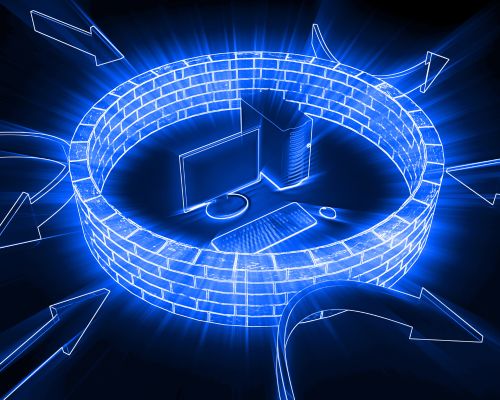
Firewalls serve as the first line of defense against a barrage of cyber threats. Whether you’re protecting a small business network or a sprawling enterprise infrastructure, understanding firewall best practices is essential for safeguarding your digital perimeter. In this comprehensive guide, we’ll delve into the crucial elements of firewall security, offering insights, tips, and recommendations to help you fortify your network against cyber threats. The Importance of Firewall Best Practices Firewalls act as gatekeepers, regulating the flow of network traffic and determining which data packets are allowed to pass and which are denied. Properly configured firewalls are essential for: Firewall Best Practices: Key Elements 1. Define a Strong Security Policy Establish a comprehensive security policy that outlines the rules and guidelines for your firewall configuration. Your policy should consider: 2. Regularly Update Firewall Rules Maintain an up-to-date set of firewall rules that reflect the changing needs and threats within your organization. Periodically review and adjust rules to ensure they align with your security policy. 3. Principle of Least Privilege Follow the principle of least privilege when configuring firewall rules. Only grant permissions that are necessary for users and devices to perform their roles and responsibilities. Limit access to sensitive resources. 4. Secure Remote Access If remote access is required, implement secure methods such as Virtual Private Networks (VPNs) or Multi-Factor Authentication (MFA) to authenticate and protect remote users. 5. Regularly Patch and Update Keep your firewall firmware and software up-to-date with the latest security patches and updates. Vulnerabilities in outdated software can be exploited by attackers. 6. Enable Logging and Monitoring Activate firewall logging and monitoring to track network traffic, rule violations, and security events. Analyze logs regularly to detect anomalies and potential threats. 7. Segment Your Network Implement network segmentation to divide your network into separate zones, each with its own security policies. This approach limits lateral movement for attackers and contains potential breaches. 8. Conduct Regular Audits Perform regular security audits and penetration testing to identify vulnerabilities and weaknesses in your firewall configuration. Address any findings promptly. 9. Disaster Recovery Plan Develop a disaster recovery plan that includes firewall-specific recovery procedures. Be prepared to restore firewall configurations in case of failure or compromise. 10. Employee Training and Awareness Educate your employees about the importance of firewall security and safe internet practices. Security awareness training helps reduce the risk of social engineering attacks. 11. Backup Configurations Regularly back up your firewall configurations and store them securely. Having backups ensures you can quickly restore settings in case of configuration errors or failures. 12. Stay Informed Stay informed about emerging threats and vulnerabilities in the cybersecurity landscape. Subscribing to threat intelligence feeds can help you proactively adapt your firewall rules. Firewall Deployment Best Practices 1. Firewall Placement Position firewalls at critical entry and exit points of your network, such as the perimeter between your internal network and the internet. Internal firewalls can further protect sensitive segments. 2. High Availability Implement firewall redundancy to ensure continuous protection. If one firewall fails, the other takes over seamlessly. 3. Test New Rules Before deploying new firewall rules in a production environment, thoroughly test them in a controlled setting to avoid disrupting network operations. 4. Document Everything Maintain detailed documentation of your firewall configurations, security policies, and rule changes. This documentation is invaluable for troubleshooting and audits. Choosing the Right Firewall Selecting the right firewall technology is a fundamental aspect of firewall security. Factors to consider when choosing a firewall solution include: Firewalls are the guardians of your digital world, and following best practices in their configuration and management is crucial for maintaining a strong security posture. By defining a clear security policy, regularly updating rules, and staying informed about emerging threats, you can fortify your network against cyberattacks and ensure that your organization remains resilient in the face of evolving threats. Firewall security is not a one-time task; it’s an ongoing commitment to protecting your digital assets and data.
Strengthening Your Digital Fortresses: Firewalls and Network Security
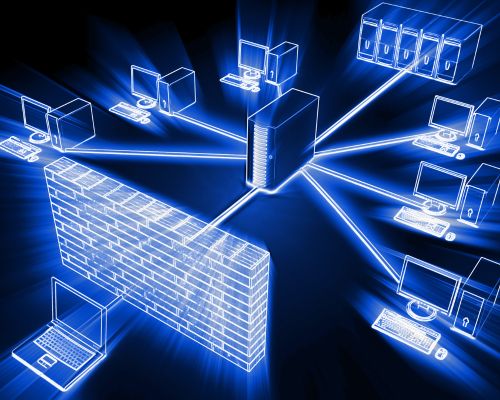
In an era where cyber threats are on the rise, protecting your digital assets has never been more critical. Firewalls stand as the first line of defense in network security, forming an essential component of any organization’s cybersecurity strategy. In this comprehensive blog post, we’ll delve into the world of firewalls and network security. We’ll explore the importance of firewalls, the types available, and best practices to keep your network safeguarded. By the end, you’ll have a solid understanding of how firewalls can fortify your digital fortresses against modern cyber threats. Why Firewalls Are Essential Firewalls are the gatekeepers of your network, working tirelessly to filter incoming and outgoing traffic. Here’s why they are indispensable: Types of Firewalls Best Practices for Network Security with Firewalls To maximize the effectiveness of your network security using firewalls, consider these best practices: The Future of Firewalls As cyber threats evolve, so do firewalls. The future of firewall technology includes the incorporation of artificial intelligence and machine learning to provide real-time threat detection and adaptive responses. Additionally, the rise of Zero Trust Network Access (ZTNA) is changing the way we perceive network security, making the role of firewalls even more critical in a perimeterless environment. Organizations must stay abreast of these developments to ensure their networks remain secure in an ever-changing digital landscape. In an interconnected world where digital threats abound, firewalls remain an indispensable component of network security. Whether you’re safeguarding sensitive business data, protecting customer information, or defending critical infrastructure, firewalls play a pivotal role in fortifying your digital fortresses. By understanding their importance, choosing the right type, and implementing best practices, you can build a robust defense against a myriad of cyber threats. Stay vigilant, stay secure, and keep your digital assets safe with the power of firewalls and network security.
Firewall Optimization and its KPIs
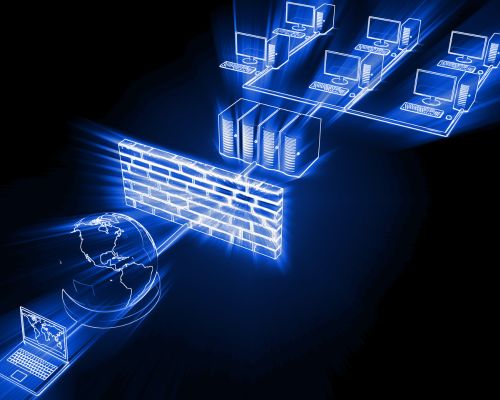
What is Firewall Optimization The importance of robust network security cannot be overstated. Firewalls stand as the first line of defense against cyber threats, making their optimization a critical task for organizations of all sizes. To effectively evaluate firewall optimization, it’s essential to focus on key performance metrics that provide insights into your network’s security posture and efficiency. In this blog post, we’ll delve into the essential metrics you should consider when evaluating firewall optimization, helping you make informed decisions to enhance your network’s security. Importance of Firewall Optimization Firewall optimization is the key to ensuring that your network remains secure, efficient, and resilient against the ever-present risks of the cyber world. In this article, we’ll explore the critical importance of firewall optimization and why it should be a top priority for organizations of all sizes. These are the items about the importance of optimization: 1. Protecting Against Evolving Threats Cyber threats are constantly evolving, and attackers are becoming more sophisticated. Firewall optimization helps ensure that your firewall is up to date with the latest threat intelligence and can effectively detect and block new attack vectors. 2. Maximizing Performance Over time, as network traffic patterns change and the volume of data increases, firewalls can become bottlenecks that slow down network operations. By optimizing firewall rules and configurations, you can maximize network performance, reduce latency, and ensure that critical applications operate without interruptions. 3. Simplifying Management Complex and convoluted firewall policies are prone to misconfigurations, which can inadvertently create security holes. Firewall optimization streamlines policies, making them easier to manage and reducing the chances of human error. 4. Regulatory Compliance Many industries are subject to strict data protection regulations. Non-compliance can result in hefty fines and damage to an organization’s reputation. Firewall optimization ensures that your firewall configurations align with these regulations, reducing compliance-related risks. 5. Cost Efficiency Unoptimized firewalls can be resource-intensive, leading to higher operational costs. By fine-tuning rules and configurations, you can optimize resource usage and potentially reduce hardware and operational expenses. Firewall Optimization KPIs 1. Throughput and Bandwidth Usage Throughput is a fundamental metric that measures the rate at which data can pass through your firewall. It’s crucial to understand your firewall’s throughput capabilities relative to your network’s bandwidth needs. If your firewall’s throughput is significantly lower than your network’s bandwidth, it could lead to bottlenecks and latency issues. Optimizing your firewall to match or exceed your network’s bandwidth requirements is essential for maintaining smooth operations. 2. Latency Latency, often referred to as network delay, is the time it takes for data to travel from the source to the destination. High latency can negatively impact user experience and productivity. When evaluating firewall optimization, consider how changes in firewall settings or configurations affect latency. Striking the right balance between security and low latency is crucial for a seamless network experience. 3. Packet Loss Packet loss occurs when data packets fail to reach their destination. It can be a sign of network congestion or firewall issues. Monitoring packet loss and identifying its source can help pinpoint optimization opportunities. Reducing packet loss can enhance the reliability and performance of your network. 4. CPU and Memory Utilization Firewalls require CPU and memory resources to inspect network traffic and apply security policies. High CPU or memory utilization can lead to performance degradation and potentially impact the firewall’s ability to handle traffic spikes. Continuously monitoring these metrics allows you to allocate resources efficiently and optimize firewall performance. 5. Connection and Session Counts Firewalls manage connections and sessions between devices on your network and external resources. Tracking connection and session counts can help identify patterns and anomalies in network traffic. Unusual spikes in connection counts may indicate a DDoS (Distributed Denial of Service) attack or other malicious activity. Optimizing firewall rules and policies can mitigate these threats while maintaining legitimate traffic flow. 6. Security Policy Violations One of the primary functions of a firewall is enforcing security policies. Metrics related to security policy violations, such as the number of blocked or allowed traffic, can provide valuable insights into your network’s security posture. Regularly reviewing and fine-tuning security policies can help optimize the firewall’s effectiveness in blocking malicious traffic. 7. Intrusion Detection/Prevention System (IDS/IPS) Alerts Many modern firewalls incorporate IDS/IPS features to detect and prevent network intrusions. Monitoring the number and severity of IDS/IPS alerts can help gauge the effectiveness of your firewall’s threat detection capabilities. Optimizing the IDS/IPS rules and configurations can reduce false positives and ensure that genuine threats are promptly addressed. 8. VPN Performance Virtual Private Networks (VPNs) are essential for secure remote access to corporate networks. Evaluating VPN performance metrics, such as connection establishment times and data transfer rates, is crucial to ensure that remote users experience seamless connectivity. Optimizing VPN configurations and firewall rules can enhance remote access capabilities while maintaining security. 9. Application Layer Performance Firewalls often include application layer inspection and control features. Monitoring the performance of these features, especially for business-critical applications, is vital. Evaluate metrics related to application layer throughput, response times, and bandwidth utilization. Optimizing application-specific rules can improve the user experience while maintaining security. 10. Threat Detection and Response Time Intrusions and cyber threats can have severe consequences for your network’s security. Measure the firewall’s ability to detect and respond to threats promptly. Evaluate metrics related to threat detection time, alert prioritization, and incident response. Effective threat detection and rapid response are crucial for minimizing the potential damage from security breaches. 11. Rule and Policy Complexity Over time, firewall rules and policies can become complex and convoluted. Complexity can lead to performance bottlenecks and increased management overhead. Regularly reviewing and optimizing firewall rules and policies by removing redundant or unnecessary rules can streamline firewall operations and improve performance. 12. User Feedback and Experience End-user feedback is a valuable source of information when evaluating firewall optimization. Pay attention to user complaints about slow network access, blocked applications, or other issues. Actively address user concerns and use their feedback to fine-tune firewall configurations. To sum