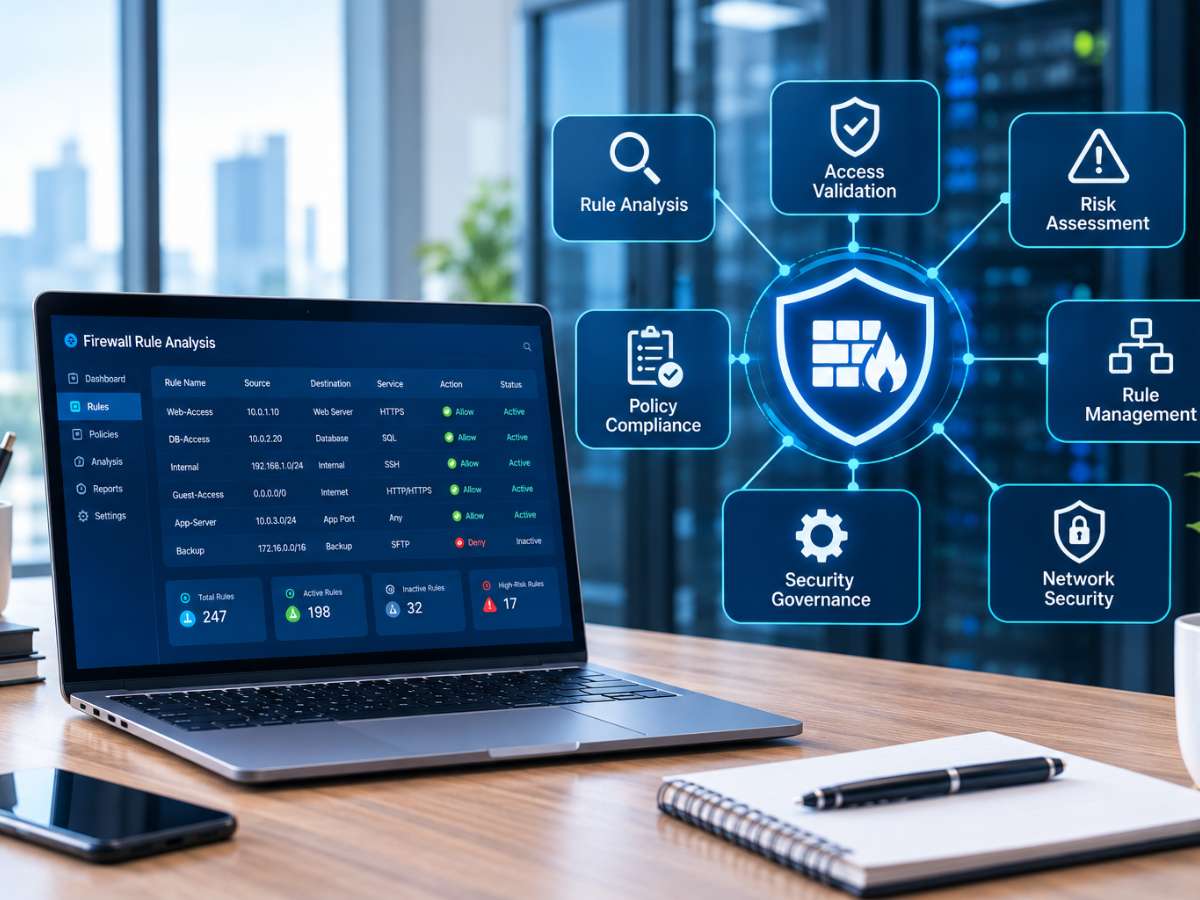



Cybersecurity threats can disrupt business operations, expose sensitive information, and damage customer trust. For security and network teams in mid-size and large organizations, protecting business applications, sensitive data, distributed infrastructure, and internal networks is essential. A structured cybersecurity risk assessment helps identify vulnerabilities, evaluate potential threats, and prioritize improvements before incidents occur.
In this blog, you will learn how to assess security risks, review firewall policies, maintain compliance, and implement practical safeguards. You will also discover how network security compliance solutions and firewall change management automation can help organizations improve security visibility and manage policy changes more consistently.
What Is a Cybersecurity Risk Assessment?
A cybersecurity risk assessment is a structured process for identifying digital assets, evaluating potential threats, discovering vulnerabilities, and deciding which risks require attention first.
For example, an enterprise may rely on multiple firewalls across headquarters, regional branches, data centers, cloud environments, and on-premises infrastructure, alongside business applications and sensitive databases. If these systems share unrestricted network access, a compromised account could expose information beyond the employee’s normal responsibilities.
A thorough assessment examines these connections, evaluates the potential business impact, and recommends practical safeguards. It helps security and network teams understand where security improvements are needed and how to prioritize resources.
What Does an Assessment Cover?
A useful assessment examines five key areas:
- Digital assets: Computers, servers, applications, databases, and network equipment.
- Potential threats: Phishing, ransomware, stolen credentials, and unauthorized access.
- Security weaknesses: Outdated software, excessive permissions, and misconfigured firewalls.
- Business impact: Financial losses, downtime, data exposure, and reputational damage.
- Existing safeguards: Access controls, backups, monitoring, and incident response procedures.
The goal is to understand which weaknesses could cause the greatest harm and how to reduce the associated risks.
Why Every Organization Needs a Risk Assessment
Cybersecurity incidents can affect more than IT systems. A compromised account or poorly configured firewall may interrupt critical business applications, expose sensitive information, or prevent employees across multiple branches from accessing essential services.
Mid-size and large organizations need to protect interconnected networks, cloud workloads, on-premises systems, remote users, and third-party access. A weakness in one environment can create exposure across the wider enterprise.
Protect Operational Continuity
When critical business applications, identity services, or network connectivity become unavailable, operations across departments or branches can quickly suffer. Identifying weaknesses in essential systems and recovery procedures helps organizations prepare for disruptions.
Protect Sensitive Enterprise Information
Customer details, employee records, financial information, and supplier contracts can be valuable to attackers. An assessment helps establish where this information is stored, who can access it, and whether suitable protections exist.
Support Compliance and Accountability
Depending on the organization, relevant requirements may include ISO 27001, PCI DSS, contractual security commitments, and applicable privacy regulations.
Documented assessments help businesses explain how risks are identified and managed. Network security compliance solutions can support policy reviews, reporting, and evidence collection, although using such tools alone does not guarantee compliance.
Make Better Security Decisions
Not every vulnerability requires immediate action. An exposed administrative interface may present a greater risk than a minor issue on an isolated test device.
A structured assessment helps organizations direct time and budgets towards the weaknesses that matter most.
The Essential Cybersecurity Risk Assessment Checklist
Use the following steps to establish a repeatable process. Adapt them to your organization’s size, technology, business priorities, and compliance requirements.
Step 1: Identify Your Critical Assets
Create an inventory of the systems, information, and services your organization depends on. Include physical devices, cloud applications, network infrastructure, user accounts, and third party services.
For an enterprise, this might include data center and branch infrastructure, multiple firewalls, cloud workloads, on-premises servers, business applications, identity systems, employee devices, and third-party connections.
Record who owns each asset, what information it handles, and how important it is to daily operations. This makes it easier to identify which systems need stronger protection.
Step 2: Identify Threats and Vulnerabilities
Consider what could go wrong and which weaknesses might allow an incident to occur.
Common examples include phishing emails, outdated software, excessive firewall permissions, shared administrator accounts, and former employees retaining access to business systems.
Review security alerts, previous incidents, configuration records, and relevant threat intelligence. Do not assume that the absence of previous incidents means your systems are secure.
Step 3: Review Network Access and Firewall Policies
Firewalls control connections entering and leaving a network. However, their effectiveness depends on whether their rules remain appropriate for current business requirements.
Review firewall configurations for unused rules, duplicate entries, overly broad permissions, expired exceptions, and unnecessary access to sensitive systems.
Imagine a vendor no longer requires access to an organization’s internal application, but the firewall rule allowing a connection to a sensitive server remains active. That outdated permission could create an unnecessary security risk.
A thorough risk assessment for network security should examine firewall policies alongside user permissions, network segmentation, and access to critical applications.
Organizations managing several firewalls may benefit from centralized policy analysis to identify risky configurations and understand how rules interact across their environments.
Step 4: Evaluate the Likelihood and Impact of Each Risk
Assess each identified risk by considering how likely an incident is and how serious its consequences could be. For example:
- Exposed administrative access: Could lead to unauthorized control of critical systems. Suggested priority: High.
- Excessive access to sensitive servers: Could lead to data exposure or lateral movement. Suggested priority: High.
- Outdated software on an isolated test device: May cause limited disruption, depending on exposure. Suggested priority: Medium.
- Missing documentation for a low impact firewall rule: May reduce accountability. Suggested priority: Low to medium.
These ratings are illustrative. Consider actual exposure, existing safeguards, business impact, and available evidence before assigning a final rating.
Document the reasoning behind each decision. This helps security teams explain why some issues require immediate remediation while others can be addressed through planned maintenance.
Step 5: Check Compliance Requirements
Identify the standards, regulations, contracts, and internal policies relevant to your organization. Compare your current controls with the requirements you need to meet.
Check whether firewall reviews, access approvals, security changes, and risk decisions are documented consistently.
Suitable network security compliance solutions can help teams review policies, generate reports, and maintain evidence of security controls. Ensure that reports reflect the actual environment and that identified gaps have clear owners.
Step 6: Review Firewall Changes and Approval Processes
Firewall policies change as organizations deploy applications, onboard vendors, connect new branches, expand cloud environments, and retire legacy systems. Uncontrolled changes can introduce unnecessary access or disrupt essential services.
Check whether your organization has a documented process for requesting, reviewing, approving, testing, and recording firewall changes.
Firewall change management automation can support consistent workflows by checking proposed changes against established policies, identifying potential conflicts, and recording approvals.
For example, when a new application needs to communicate between a cloud environment and an on-premises database, a controlled workflow can verify the business request, check the proposed access against policy, obtain the appropriate approval, and preserve an auditable change record.
Automation does not replace human judgment. It helps security teams apply established controls more consistently and reduces repetitive manual work.
Step 7: Create a Risk Treatment Plan
Once the assessment is complete, decide how to manage each significant risk.
- Mitigate: Introduce safeguards to reduce the likelihood or impact of an incident.
- Avoid: Stop the activity creating an unacceptable risk.
- Transfer: Allocate some financial consequences through appropriate contracts or insurance while continuing to manage the underlying security risk.
- Accept: Formally acknowledge a risk that falls within approved tolerance.
For each action, record the responsible person, target date, resources required, and expected outcome.
Your plan might prioritize removing unnecessary firewall access, strengthening administrator authentication, patching exposed systems, and improving backup recovery procedures. Document accepted risks and obtain approval from the appropriate decision maker.
Step 8: Monitor, Review, and Repeat
A cybersecurity risk assessment should not be completed once and forgotten. Systems, business requirements, and threats continue to change.
Establish a review schedule based on your risk level and compliance obligations. Reassess after significant infrastructure changes, security incidents, new cloud deployments, or the introduction of critical applications.
Track remediation progress and verify that completed actions have reduced exposure. Security reports and policy change histories can help teams identify emerging issues between formal reviews.
Common Security Gaps Businesses Often Overlook
Even organizations with established security tools can miss weaknesses in everyday operations.
Unused Firewall Rules
Rules created for temporary projects may remain active long after they are needed. Regular reviews help identify rules that can be removed or restricted safely.
Excessive Permissions
Employees and contractors should have access only to the systems required for their roles. Review privileged accounts and remove permissions that are no longer necessary.
Unclear Ownership
Security issues can remain unresolved when nobody is responsible for addressing them. Assign an owner to every significant risk and establish a clear remediation deadline.
Incomplete Change Records
Without reliable records, teams may struggle to establish who changed a policy, why the change occurred, or whether it was approved. Consistent documentation improves accountability and simplifies investigations.
Infrequent Compliance Reviews
A configuration that met requirements during the previous audit may no longer be appropriate after several application updates or infrastructure changes. Regular reviews help keep security controls and compliance evidence aligned.
These problems become more difficult to manage when an organization operates across several locations or uses firewalls from multiple vendors.
How Firewall Management Strengthens Network Security
Firewalls are an important part of network defense, but their effectiveness depends on how consistently their policies are reviewed, maintained, and updated.
A comprehensive network security risk assessment should examine whether firewall configurations remain suitable for current business requirements, rather than simply checking whether firewalls have been installed.
Improve Policy Visibility
A centralized view of firewall policies helps security teams identify potentially risky configurations, investigate access rules, and understand how traffic is permitted across network environments. This is particularly useful when several teams manage different firewalls or when infrastructure spans on premises systems and cloud environments.
Reduce Manual Errors
Manual policy changes can introduce duplicate rules, excessive permissions, or unexpected conflicts. Consistent workflows help reviewers assess proposed changes before implementation and identify potential problems.
Maintain Accountability and Audit Readiness
Security teams need to understand how firewall policies change over time and whether those changes follow approved procedures.
Opinnate provides capabilities for firewall policy analysis, optimization, change automation, and reporting. Explore the firewall policy change automation solution to learn how controlled workflows can support more consistent policy management.
How to Choose the Right Network Security Approach
The right approach depends on your organization’s size, network complexity, risk exposure, and available resources. A small business with one firewall may manage basic reviews through documented manual processes, while a larger organization with multiple firewalls and frequent changes may need more structured tools.
Before choosing a solution, consider these questions.
- Can you identify risky firewall rules quickly?
Look for capabilities that help identify unused, redundant, overly permissive, or conflicting policies. - Can you demonstrate why changes were made?
Change histories, approval records, and clear ownership help with investigations and compliance reviews. - Can you assess changes before implementation?
Predeployment checks can help identify conflicts and policy violations before they affect live systems. - Can you generate useful reports?
Reports should help technical teams investigate findings and give business leaders a clear view of risks, outstanding actions, and remediation progress. - Will the solution scale with your organization?
Consider your firewall inventory, supported vendors, change requests, cloud environments, and reporting requirements.
Strengthen Your Security with a Clear Action Plan
An effective cybersecurity risk assessment helps organizations understand their exposure, protect essential systems, and make informed security decisions. By identifying critical assets, reviewing vulnerabilities, evaluating firewall policies, prioritizing risks, and monitoring improvements, businesses can reduce avoidable exposure while supporting operational continuity.
The process becomes more effective when findings lead to clear responsibilities, measurable actions, and regular reviews. For organizations managing complex firewall environments, structured policy governance can also reduce manual effort and improve audit readiness.
Ready to strengthen your network security? Explore Opinnate’s network security compliance solutions to learn how firewall analysis, policy optimization, controlled automation, and reporting can support your security goals.
You can also explore Opinnate’s policy automation solution and request a personalized demo to discuss your firewall environment, policy management challenges, and governance requirements with the team.
Frequently Asked Questions
1. How Often Should an Organization Conduct a Cybersecurity Risk Assessment?
Review risks on a defined schedule based on your industry, exposure, and compliance requirements. Reassess promptly after major infrastructure changes, security incidents, or the introduction of critical applications.
2. What Is the Difference Between a Vulnerability Assessment and a Cybersecurity Risk Assessment?
A vulnerability assessment identifies security weaknesses. A cybersecurity risk assessment considers those weaknesses alongside potential threats, likelihood, business impact, and existing safeguards to prioritize action.
3. Why Is Firewall Policy Review Important?
Firewall reviews help identify unnecessary access, outdated rules, and policy conflicts. Regular reviews also improve accountability and help organizations maintain accurate security records.
4. Can Automation Improve Network Security Risk Assessment?
Yes. Automation can help analyze firewall policies, validate proposed changes, maintain change histories, and generate reports. Human oversight remains essential when interpreting findings and approving sensitive changes.
5. How Can Opinnate Help Organizations Manage Network Security Risks?
Opinnate supports firewall policy analysis, optimization, automation, and audit reporting. These capabilities can help security teams identify policy weaknesses, manage changes through controlled workflows, and improve visibility into firewall governance.