


Key Steps in Conducting Firewall Policy Analysis: A Comprehensive Guide

In today’s interconnected world, the security of computer networks is of paramount importance. Firewalls play a crucial role in safeguarding networks against unauthorized access and potential threats. However, designing and implementing an effective firewall policy requires a systematic and thorough analysis. In this blog post, we will explore the key steps involved in conducting a policy analysis in the domain of firewall management. Define the Policy Analysis Objective: The first step in any policy analysis is to clearly define the objective. In the context of firewall management, this may involve identifying specific security requirements, such as protecting sensitive data, preventing unauthorized access, or ensuring compliance with industry regulations. By setting a clear objective, you can focus your analysis and ensure that the subsequent steps align with your goals. Identify Stakeholders and Gather Requirements: A comprehensive firewall policy analysis necessitates the involvement of key stakeholders. Identify the individuals or departments responsible for network security, as well as those who will be impacted by the policy. Engage in discussions and interviews to gather their requirements and expectations. This step helps you understand the diverse needs and concerns of stakeholders and ensures that their perspectives are incorporated into the analysis. Conduct a Risk Assessment: Assessing the risks associated with the network is crucial in developing an effective firewall policy. Identify potential vulnerabilities, threats, and attack vectors that could compromise network security. This assessment involves reviewing the existing network infrastructure, evaluating historical attack patterns, and staying up-to-date with the latest security trends. By understanding the risks, you can design policies that mitigate these threats effectively. Review Existing Policies and Best Practices: Before formulating a new firewall policy, it is essential to review any existing policies already in place. Analyze their effectiveness, identify gaps or redundancies, and assess their alignment with industry best practices. This step allows you to build upon existing policies and avoid reinventing the wheel. Consider incorporating widely accepted frameworks such as NIST or ISO 27001 to ensure a robust and well-documented policy. Develop Policy Alternatives: Based on the requirements gathered and the risk assessment conducted, it is time to develop policy alternatives. Consider different approaches, such as allow-lists or deny-lists, rule prioritization, or segmentation strategies. Each alternative should address the identified risks and stakeholder requirements. This step encourages creative thinking and provides multiple options to evaluate during the analysis phase. Analyze Policy Alternatives: Analyze the pros and cons of each policy alternative against your defined objective. Consider factors like security effectiveness, ease of implementation, performance impact, and scalability. Use qualitative and quantitative measures to evaluate the alternatives, such as assessing the impact on network latency or the potential reduction in security incidents. This analysis helps you identify the most suitable policy alternative for your organization. Simulate and Test: Once you have selected a preferred policy alternative, it is essential to simulate and test its effectiveness. Utilize firewall management tools or simulators to create a test environment that mimics the real network. Apply the policy alternative and evaluate its impact on network traffic, system performance, and the ability to block unauthorized access attempts. This step allows you to validate the policy and identify any unforeseen issues or conflicts. Document and Communicate the Policy: A well-documented policy is crucial for its successful implementation and ongoing maintenance. Prepare a comprehensive policy document that outlines the objectives, rules, and procedures associated with the firewall policy. Include clear guidelines on how the policy should be implemented and communicated to network administrators and end-users. Transparent communication ensures that all stakeholders are aware of the policy and understand their roles and responsibilities. Effective firewall policy analysis requires a systematic and methodical approach. By following the key steps outlined in this blog post, you can ensure that your organization’s network security remains robust and resilient. Remember, policy analysis is an iterative process, and regular reviews and updates are necessary to adapt to evolving threats and technological advancements. Stay proactive, keep abreast of the latest security trends, and prioritize the continuous improvement of your firewall policy to safeguard your network effectively.
New Trends and Advancements to Automatize Network Security Operations

In today’s complex network environments, managing security policies and ensuring continuous network protection can be a daunting task, particularly for large enterprises with multi-vendor networks. The challenges often stem from the need to work with different vendors, outdated or missing documentation, and the sheer volume of policies and firewall devices. However, recent advancements in automation have paved the way for more effective policy change management and improved network security. In this blog post, we will delve into these challenges and explore how to automatize and help organizations overcome them. Navigating Multi-Vendor Environments: Large enterprises operating on a global scale often rely on firewall devices from multiple vendors, driven by various factors such as regulations, security policies, local needs, and procurement strategies. However, this multi-vendor environment poses challenges for policy management. Each vendor typically requires specific training and has its own central management software, leading to increased complexity and cost. Standardization becomes an issue due to varying capabilities and approaches among vendors. To address this, organizations can benefit from reducing the number of vendors, promoting centralization, and striving for greater standardization across their network security infrastructure. The Dilemma of Outdated Documentation: Documentation and guidelines are crucial for maintaining a secure network environment. However, in many cases, these materials become obsolete over time. Updates are often neglected, rendering the documentation insufficient when changes are needed. For instance, when installing a new application server in an existing server farm, security policies must be applied. But without up-to-date documentation, the application team may not be aware of the necessary policies, resulting in a time-consuming process for the firewall administrator. This lack of comprehensive documentation complicates effective policy management. To tackle this challenge, organizations should prioritize the regular updating and maintenance of their written materials, ensuring they align with the evolving network infrastructure. The Burden of Policy Volume and Device Complexity: Large enterprises typically deal with a high number of policies and firewall devices. Implementing a new policy often involves traversing multiple firewalls, which can be time-consuming and prone to errors. Moreover, as the number of policies increases, analyzing and examining firewall configurations becomes more challenging. This analysis process can take weeks, delaying crucial security changes. To address this issue, organizations can turn to automation solutions that streamline policy management, reducing complexity and enabling more efficient policy analysis and enforcement. Automatize things for Effective Policy Management: In the face of these challenges, organizations can leverage automation to automate network security operations and ensure continuous network protection. Automation technologies such as Network Security Policy Management (NSPM) solutions offer simplified and centralized management of multi-vendor networks. These tools provide a unified interface, reducing the need for vendor-specific training and centralizing policy management. By automating policy enforcement, organizations can achieve greater consistency and standardization, minimizing the risk of misconfigurations. Additionally, automation enables the creation of self-updating documentation by automatically capturing and documenting policy changes, ensuring that written materials remain up to date. Through policy automation, organizations can efficiently implement changes across multiple devices, reducing the time required for policy analysis and deployment. Automation has become a key driver in network security operations, helping organizations overcome the challenges of managing policies in large, multi-vendor environments. By embracing automation, organizations can enhance policy change management, mitigate risks, improve network security, and ensure continuous protection. Investing in automation solutions, such as NSPM, can streamline policy management processes, reduce complexity, and enable efficient analysis and enforcement of security policies. As network environments continue to evolve, harnessing the power to automatize is essential for maintaining a robust and secure network infrastructure.
Types Of Filtering Concepts in Firewall Security

A firewall is a network security device or software that acts as a barrier between an internal network and external networks, such as the internet. It monitors and controls incoming and outgoing network traffic based on predetermined security rules. The primary purpose of a firewall security is to protect a network or computer system from unauthorized access and potential threats, such as malware, hackers, or malicious activities. Firewalls can be implemented in various forms, including hardware devices, software applications, or a combination of both. They analyze network traffic packets, inspecting the source and destination addresses, ports, protocols, and other attributes to determine whether to allow or block the traffic based on the configured rules. Firewalls can be configured to filter and block specific types of network traffic, such as certain ports or protocols, and can also provide additional security features such as intrusion detection and prevention, virtual private network (VPN) support, and logging capabilities to track and analyze network activity. By enforcing security policies and controlling network traffic, firewalls help to reduce the risk of unauthorized access, data breaches, and other cyber threats, thereby enhancing the overall security of a network or computer system. Packet filtering is a fundamental concept in firewall security. It involves examining individual network packets as they pass through a firewall and making access control decisions based on predetermined rules or policies. Here’s how packet filtering works: Packet Inspection: When a network packet arrives at the firewall, the firewall inspects the header information of the packet. This includes details such as source and destination IP addresses, port numbers, and protocol types (such as TCP or UDP). Rule Evaluation: The firewall compares the packet’s header information against a set of predefined rules or policies. These rules specify what types of traffic are allowed or blocked based on specific criteria. Access Control Decision: Based on the evaluation of the rules, the firewall makes an access control decision for the packet. The decision can be one of the following: Allow: If the packet matches an allowed rule, the firewall permits the packet to pass through and reach its destination. Block: If the packet matches a blocked rule, the firewall drops or rejects the packet, preventing it from reaching its intended destination. Default Behavior: If a packet does not match any of the defined rules, the firewall applies a default behavior. This can be either allowing or blocking the packet, depending on the firewall’s configuration. Commonly, firewalls are set to block packets that do not have a matching rule. Packet filtering can be based on various criteria, such as source and destination IP addresses, port numbers, and protocol types. For example, a firewall might have rules that allow incoming web traffic (HTTP) on port 80, but block incoming email traffic (SMTP) on port 25. Packet filtering is an effective mechanism for enforcing access control and filtering network traffic at the network layer (Layer 3) of the TCP/IP protocol stack. It helps protect against unauthorized access attempts, malicious traffic, and certain types of network-based attacks. However, it is important to properly configure and maintain packet filtering rules to avoid unintended security gaps or false positives/negatives. Apart from packet filtering, firewalls employ additional filtering mechanisms to enhance network security. Some of these mechanisms include: Proxy Filtering: Firewalls can act as proxies for specific protocols, such as HTTP or FTP. Instead of directly forwarding packets, the firewall establishes a connection with the remote server on behalf of the client. This allows the firewall to inspect and filter the content of the communication at the application layer. URL Filtering: Firewalls can implement URL filtering to control access to specific websites or categories of websites based on their URLs or domain names. This firewall security filtering mechanism helps enforce acceptable use policies, restrict access to malicious or inappropriate content, and prevent employees from visiting unauthorized websites. Content Filtering: Content filtering allows firewalls to inspect and analyze the actual content of network traffic, including web pages, email attachments, or file transfers. By using content filtering, firewalls can block or allow traffic based on predefined rules related to keywords, file types, or content categories. Malware Filtering: Firewalls can incorporate malware filtering capabilities to identify and block network traffic associated with known malware, viruses, or other malicious activities. This filtering mechanism helps protect against malware downloads or communication with malicious command-and-control servers. Deep Packet Inspection (DPI): Deep packet inspection goes beyond traditional packet filtering by examining the payload or contents of network packets at a granular level. It allows firewalls to inspect and analyze the complete packet, including the application-layer data, to detect specific patterns or behaviors associated with attacks or policy violations. Application Control: Firewalls can implement application control policies to regulate the use of specific applications or protocols. This mechanism allows organizations to enforce restrictions on applications that may pose security risks, consume excessive bandwidth, or violate compliance policies. Behavior-based Filtering: Some advanced firewalls incorporate behavior-based filtering, also known as anomaly detection. By monitoring network traffic and comparing it to normal patterns, these firewalls can identify and block suspicious or abnormal behavior that may indicate a potential attack or security breach. These additional filtering mechanisms provide firewall security with more granular control and visibility into network traffic, enabling them to enforce security policies at different layers of the network stack and mitigate various types of threats.
Firewall Misconfigurations: The Hidden Threat to Enterprise Security

Everyone knows that firewalls are the first line of defence in every modern business. They are like digital gatekeepers, keeping an eye on network traffic and keeping sensitive data safe from cyber threats. But what happens when the tool that is supposed to keep your business safe becomes a weak point? Hackers can get in through even a small mistake in your firewall settings, which can cause your system to go down and hurt your company’s reputation. We will also talk about how firewall misconfigurations happen, why they are bad, and what you can do to stop them in this blog. Read the blog ahead to learn more! Why Do Firewall Misconfigurations Matter? A Chief Information Security Officer (CISO) or IT leader is always thinking about how to protect the company. A firewall alone isn’t enough. How it is set up and kept up is what really matters. When you break a rule or forget to follow one, it can cause big problems with security and following the rules. Here are some ways that settings that aren’t set up right can hurt your business: • More Chances for Vulnerabilities and Data Breaches If you don’t set up your firewall correctly, it could create gaps in your defences. Cybercriminals can access your network via an open port or misconfigured rule. This could result in: • Unapproved access to private information• Data breaches and theft of intellectual property• Loss of money• Damage to your brand’s reputation that lasts for a long time A single small mistake in configuration can let attackers into your systems. • Stopped Business From Running Smoothly If you do not set up your firewall correctly, it might block real traffic or send it to the wrong place. This changes how your employees and customers use your systems. Outcomes:1. Less time spent working and more time spent resting2. Customers had bad experiences3. Services stopped, so money was lost In fast-paced fields, even a few minutes of downtime can hurt customer trust and business continuity. • Fines for Not Following the Rules and Regulations If your business works in a regulated field like finance, healthcare, or government, problems with your firewall can make it hard to follow the rules. If you share personal information or break privacy laws, you could be breaking rules like GDPR, HIPAA, or PCI-DSS. This can cause: • Legal problems• Loss of client trust• Damage to your reputation• Expensive fines and penalties To stay in compliance, you need to make sure that your firewalls are always set up, up to date, and being watched. • Slower Responses to Incidents and Investigations Your team needs accurate firewall settings and logs to find and stop a cyber threat when it happens. If a firewall isn’t set up correctly, it can make things much harder, slowing down response times and making the effects of an attack worse overall. When there isn’t clear and reliable data, investigations take longer and recovery is harder. During these times, losing time can make things worse and lead to longer downtime. How to Keep Firewall Settings from Going Wrong? A proactive approach is the first step in keeping your business safe. Instead of waiting for something to go wrong, set up a system that makes it less likely that things will be set up wrong in the first place. This is how to do it. • Do Regular Audits and Risk Assessments Make firewall audits a part of your regular cybersecurity routine. Regular checks can find old rules, extra permissions, and possible misconfigurations before they become security holes. Do these audits and detailed risk assessments to see how any mistake could hurt your business. This proactive approach helps fix problems before hackers can take advantage of them. • Make Firewall Policy Management Central Things don’t always work right when you have to manage more than one firewall by hand. A centralised management platform can do a lot. It shows you all of your organisation’s firewall rules in one place, which helps make sure that everything is correct and follows the rules. Automation tools can also help by:• Making sure that policies are always followed• Speeding up the process of updating and approving policies• Reducing the number of mistakes made by hand• Making sure that all systems follow the rules Centralised management saves time and keeps your security strong. • Use Tools for Continuous Monitoring and Detection You can’t just put up a firewall and forget about it. Tools that always watch things and intrusion detection systems can help you see suspicious activity as it happens. If your team has the right alerts set up, they can quickly find and fix problems before a breach or misconfiguration causes a lot of damage. • Teach and Train Your IT Staff One of the main reasons firewalls don’t work is that people make mistakes when they set them up. If you train your IT and security teams on a regular basis, they will always know about the newest best practices, technologies, and cyber threats. Not only does encouraging people to keep learning help them do their jobs better, but it also makes everyone in your company more aware of security issues. Making a Better Firewall Plan for the Future Even though it may seem like a small technical problem, a firewall that is not set up right can have big effects. The risks are too big to ignore, like losing money, having your system go down, or breaking the law. A firewall that is well-managed is more than just a tool; it is an important part of your plan to keep your computer safe. You can avoid expensive mistakes and keep your security strong by doing regular audits, managing everything from one place, keeping an eye on everything all the time, and training your teams well. Our main goal at Opinnate is to help businesses make their networks safer by managing firewalls in a way that is based on compliance, visibility, and automation. Take action today
Common Misconceptions or Myths About Network Firewalls
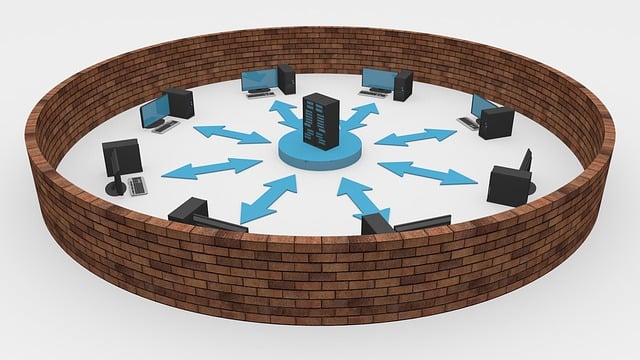
A network firewall is a security device or software that is designed to monitor and control incoming and outgoing network traffic based on predetermined security rules. It acts as a barrier between an internal network (such as a company’s private network) and external networks (such as the internet) to protect the internal network from unauthorized access, threats, and malicious activities. Network firewalls work by examining the data packets that flow through the network security and applying a set of predefined rules to determine whether to allow or block the traffic. These rules are typically based on criteria such as source and destination IP addresses, port numbers, protocols, and specific keywords or patterns in the packet content. The firewall can be configured to permit or deny traffic based on these criteria. By implementing a network firewall, organizations can establish a secure perimeter for their networks, control access to sensitive resources, prevent unauthorized access, detect and block malicious traffic, and enforce security policies. It is an essential component of network security infrastructure and plays a crucial role in safeguarding against various cyber threats. Firewalls play a crucial role in network security. It is the basic need to protect any network against security threats. However, there are a few common misconceptions or myths about network firewalls. Let’s explore some of them: It’s important to understand the capabilities and limitations of network firewalls and deploy them as part of a comprehensive security strategy. It should not be thought of a single technology that can do all cyber security protection by itself. Combining firewalls with other security measures ensures a more robust defense against a wide range of cyber threats.
How Do Firewalls Contribute To Network Security

Network security refers to the practice of implementing measures and safeguards to protect computer networks, systems, and data from unauthorized access, misuse, or attacks. It involves a combination of hardware, software, policies, and procedures designed to ensure the confidentiality, integrity, and availability of network resources. By implementing network security measures, organizations and individuals can mitigate the risks associated with unauthorized access, data breaches, and other malicious activities, ensuring the confidentiality, integrity, and availability of their networks and sensitive information. There are several technological components used for network security. Here are some of the key ones: These technological components work together to create layered defenses and establish a robust network security infrastructure. However, it’s important to note that effective network security requires a combination of technological solutions, policies, user awareness, and regular monitoring and maintenance. The basic and the most important of all these technologies is surely firewalls. Firewalls play a crucial role in network security by acting as a barrier between internal networks and external networks, such as the Internet. Here are some ways in which firewalls contribute to network security: Network Traffic Control: Firewalls monitor incoming and outgoing network traffic based on predefined security rules and policies. They examine packet headers and data to determine whether to allow or block traffic. By enforcing access control policies, firewalls prevent unauthorized access and limit the exposure of sensitive resources to potential threats. Access Restrictions: Firewalls allow network administrators to define access rules, specifying which types of traffic, protocols, or IP addresses are allowed or denied. This enables fine-grained control over network communication and helps protect against unauthorized access attempts or malicious activities. Intrusion Prevention: Some firewalls incorporate intrusion prevention capabilities. They analyze network traffic patterns and signatures to identify and block known threats or attack patterns in real-time. Intrusion prevention mechanisms can prevent malicious traffic from reaching internal systems and mitigate the risk of exploitation. Network Segmentation: Firewalls facilitate network segmentation by creating separate security zones within a network. By segmenting networks into different zones, such as DMZ (Demilitarized Zone) or internal LAN (Local Area Network), firewalls restrict the lateral movement of threats. This containment limits the impact of a potential breach and provides an additional layer of protection. Virtual Private Networks (VPNs): Firewalls often include VPN capabilities, allowing organizations to establish secure connections for remote users or branch offices. VPN functionality within firewalls ensures that data transmitted between remote locations and the internal network is encrypted and protected from interception or tampering. Application-Level Filtering: Some firewalls provide deep packet inspection capabilities, allowing them to analyze the content of network traffic beyond just the packet headers. This enables inspection and filtering of application-layer protocols, such as HTTP, FTP, or SMTP, to detect and block potential threats or policy violations. Logging and Monitoring: Firewalls typically log network traffic information, including connection attempts, blocked traffic, and security events. These logs can be used for monitoring, netwrok auditing, and incident response purposes, helping administrators analyze network activity, detect anomalies, and investigate potential security incidents. Distributed Denial of Service (DDoS) Protection: Advanced firewalls incorporate DDoS protection mechanisms to mitigate the impact of DDoS attacks. They can identify and filter out excessive or malicious traffic, ensuring that legitimate network services remain available during an attack. By implementing firewalls as part of a comprehensive network security strategy, organizations can establish a strong perimeter defense, control network traffic, protect against unauthorized access, and detect and prevent various types of threats and attacks.
TCO of NSPM – Network Security Policy Management

Network Security Policy Management is an important need for any enterprise. TCO of NSPM is also important to decide on how to proceed. It may make sense to start with ROI of any NSPM solution. The Return on Investment (ROI) of network security policy management can be significant for organizations. Network security policy management involves implementing and enforcing policies and procedures to ensure the security of a company’s network infrastructure, including firewalls, routers, switches, and other network devices. Effective network security policy management can lead to several benefits that can provide a positive ROI for the organization. Some of these benefits include: There are several important achievements that can be supplied by any NSPM. However, as to TCO of the solution itself there may be some differences. These are some of the TCO components that need to be analysed: firewall manager usage, storage disk usage, effort needed to manage the system. To start with, firewall manager usage is generally a mandatory need for these solutions. So, if you have decided to use a firewall analyser or automation system and do not have any firewall manager already implemented then there will be this manager procurement cost you will be facing. On average in a 10-firewall infrastructure assuming they are belonging to same vendor. The cost would be 10K USD at minimum. Calculalation of a TCO As to storage disk usage. Generally, NSPM solutions need to first collect and store all the logs and make the necessary analysis afterwards. So, in a 10-firewall environment assuming 10K EPS log generation capacity the amaount of disk needed will be around 300TB per year. Making it more specific: Volume of data = Size of 1 syslog message x Number of messages per second x Number of seconds x Number of days x Compression Ratio Assuming we store the logs for 30 days and use a compression ratio of 5:1, we can calculate the volume of data as: Volume of data = 1 KB x 10,000 EPS x 1 second x 60 seconds x 60 minutes x 24 hours x 30 days / 5 Volume of data = 25,920,000 MB or 25,920 GB or 25.92 TB The cost coming from storage disk usage would be around 20K USD per year at minimum. What about effort usage? If the NSPM solution is not a user-friendly one and require good amount of work to maintain, it may need 0,5 to 1 human effort again for a 10-firewall environment. To maintain this kind of solution you may be needing one more employee if you have not planned it that way. To sum up, NSPM solutions may have hidden costs in place if you have not planned it that way. During the evaluation phase of any NSPM solution project one must take into account the TCO of NSPM if the solution requires the usage of firewall manager, if the system is storing all the logs and what may be needed effort to maintain that solution.
Cyber Security Turnover Issue

Cyber security people do not prefer working on operational activities like firewall policy changes or analysis, so if this is the issue it may be one of the reasons of turnover. What about the cost of these turnover situations? There are several studies and reports that have looked into the costs of employee turnover in cybersecurity roles. While there is no one-size-fits-all answer, the general consensus is that turnover in cybersecurity can be costly for organizations, especially if they lose experienced and skilled employees. According to a report by (ISC)², a global non-profit organization that specializes in cybersecurity education and certification, organizations can spend an average of $145,000 to replace a cybersecurity professional. This includes recruitment costs, training expenses, and lost productivity during the transition period. Another study by the Ponemon Institute estimates that the cost of employee turnover in cybersecurity can be as high as $3.5 million per year for large organizations. This figure takes into account the direct costs of recruiting, hiring, and training new employees, as well as the indirect costs of lost productivity and reduced morale among remaining staff. The Society for Human Resource Management (SHRM) has also conducted studies on the cost of employee turnover, including in the cybersecurity field. According to SHRM’s 2019 Human Capital Benchmarking Report, the average cost per hire for a cybersecurity professional was $11,514, which includes recruitment costs such as advertising, sourcing, and screening candidates, as well as the time spent by HR and hiring managers to fill the role. Additionally, SHRM’s 2019 Employee Benefits Report found that offering competitive salaries and benefits is a key factor in retaining employees, including those in the cybersecurity field. The report notes that organizations that provide above-average benefits, such as healthcare and retirement plans, are more likely to retain their employees than those that provide below-average benefits. According to another study by the Society for Human Resource Management, regardless of cyber security the average cost of turnover can range anywhere from 30-50% of an employee’s annual salary. For example, if an employee earns $50,000 per year, the cost of turnover could be anywhere from $15,000 to $25,000. It’s important to note that the cost of turnover includes both direct and indirect costs, such as the cost of recruiting and training a replacement, lost productivity, and the impact on morale for remaining employees. Some estimates put the direct cost of replacing an employee at 1.5 to 2 times their annual salary, with indirect costs adding another 50-70% of their annual salary. Turnover in cybersecurity roles can also have other implications for an organization’s security posture. For example, when experienced staff leave, they take their knowledge and expertise with them, which can result in a loss of institutional memory and potentially leave the organization vulnerable to cyber-attacks. Overall, the cost of turnover for cybersecurity engineers can be significant and organizations should take steps to retain their skilled employees, such as offering competitive salaries, professional development opportunities, a positive work environment and surely eliminate operational activities from their daily routines.
Effort Gain Estimation by Automation

As each day passes, new threats in the realm of cyber security continue to emerge, making it a crucial topic for any enterprise. Despite the existence of several cyber security technologies and the promise of new ones on the horizon, there is a shortage of skilled cyber security professionals in the world to effectively implement and utilize these solutions. Hence, the need for automation in cyber security is becoming increasingly important with each passing day. This trend is driven by the desire to streamline operational activities such as network security policy changes and achieve greater efficiency. An enterprise customer has a valid expectation to leverage the benefits of automation for other security-related activities, rather than focusing solely on the upkeep of the automation solution itself. Therefore, it makes sense to opt for an automation solution that is both user-friendly and easy to maintain, allowing the gained effort to be directed towards the actual security topics that require attention. This also holds true for network security policy management. If you were to utilize a solution for this purpose, what kind of effort gain would you anticipate? Here is an estimation for three scenarios: Effort gain for each scenario based on the assumption that implementing a network security policy management system and automating firewall policy changes will result in a reduction of manual effort required for policy management tasks. However, the actual effort gain will depend on various factors such as the complexity of the environment, the current level of automation, and the specific tools and processes used. Scenario 1: High number of policy change requests If the customer has a high number of policy change requests, it is likely that they have a complex network environment with multiple applications and services. In this scenario, implementing a network security policy management system and automating firewall policy changes can result in a significant reduction in manual effort required to process these requests. Specifically, the effort gain can range from 50-70% depending on the level of automation and the effectiveness of the policy management system. Scenario 2: Lower number of requests but high number of firewalls If the customer has a lower number of policy change requests but a high number of firewalls, it is likely that they have a distributed network environment with multiple locations or data centers. In this scenario, implementing a network security policy management system and automating firewall policy changes can result in a significant reduction in manual effort required to manage these firewalls. Specifically, the effort gain can range from 40-60% depending on the level of automation and the effectiveness of the policy management system. Scenario 3: Low number of firewalls and requests If the customer has a low number of firewalls and requests, the potential for effort gain may be lower than in the previous scenarios. However, even in this case, implementing a network security policy management system and automating firewall policy changes can still result in a reduction in manual effort required for policy management tasks. The effort gain can range from 20-40% depending on the level of automation and the effectiveness of the policy management system. No matter you need to use end-to-end automation or have a high amount of requests or not network security policy managment solutions will help you achieve an effort gain of at least 20 % to reaching 70 %. The gained effort then be used for other security topics that you may have interest if the used solution not need special management or maintenance.
How to be ready for audits by making regular firewall analysis

Firewall analysis is an activity that must be done regulary to be more pepared for audits. Firewall audits are an essential part of ensuring the effectiveness of an organization’s network security controls. There are various regulations that control the implementation of firewall rules to ensure the security of the network and data. Here are some of the major regulations that control firewall rules: Payment Card Industry Data Security Standard (PCI DSS) PCI DSS requires the implementation of firewall rules to protect cardholder data. PCI (Payment Card Industry) firewall audits are critical assessments that ensure organizations handling payment card data comply with security standards. These audits evaluate the effectiveness of firewall systems in protecting sensitive cardholder information. They assess firewall configurations, access controls, and rule sets to verify alignment with PCI Data Security Standard (PCI DSS) requirements. Auditors check for vulnerabilities, unauthorized access, and the ability to detect and respond to security incidents. Successful PCI firewall audits are vital for maintaining the trust of customers, avoiding costly fines, and protecting against data breaches in the highly regulated world of payment card transactions. Health Insurance Portability and Accountability Act (HIPAA) HIPAA requires organizations to implement firewall rules to secure electronic protected health information (ePHI). HIPAA firewall audits are essential evaluations conducted in the healthcare sector. These audits assess the effectiveness of firewall systems in safeguarding patients’ protected health information (PHI). They examine firewall configurations, access controls, and intrusion detection capabilities to ensure compliance with HIPAA’s stringent security and privacy requirements. Auditors verify that PHI remains confidential, secure from unauthorized access, and protected from potential breaches. HIPAA firewall audits are instrumental in maintaining patient trust, avoiding legal penalties, and upholding the integrity of sensitive medical data, which is of utmost importance in healthcare settings. General Data Protection Regulation (GDPR) GDPR requires organizations to implement appropriate technical and organizational measures, including firewall rules, to protect personal data. Sarbanes-Oxley Act (SOX) SOX requires public companies to implement security measures to protect financial data, including firewall rules. Federal Risk and Authorization Management Program (FedRAMP) FedRAMP requires the implementation of firewall rules to secure federal information and systems. National Institute of Standards and Technology (NIST) Cybersecurity Framework The NIST Cybersecurity Framework is a set of guidelines for improving cybersecurity. It recommends the implementation of firewall rules as part of an organization’s network security measures. International Organization for Standardization (ISO) 27001 ISO 27001 is a standard that provides a framework for information security management. It requires the implementation of firewall rules as part of an organization’s information security controls. These audits focus on evaluating firewall systems to ensure they align with the security controls specified by ISO 27001. They examine firewall configurations, access controls, and intrusion detection capabilities to confirm compliance with the standard’s requirements for safeguarding sensitive information. Successful ISO 27001 firewall audits are essential for organizations seeking to achieve ISO 27001 certification, signifying their commitment to maintaining robust information security practices and instilling confidence in stakeholders regarding the protection of valuable data assets. Firewall Analysis and Audit Preparation To be prepared for these audits ere are some steps that an organization can take to be ready for firewall audits: By taking these steps and by making regular firewall analysis an organization can ensure that it is ready for firewall audits, demonstrating its commitment to network security and compliance with applicable regulations and standards.